A 10-iteration record of a family TV lottery machine · 2026.11.13 → 11.18
It started with 12 storyboard panels. The ask was simple: build a family lottery machine for the living-room TV that anyone can play with just the remote.
Six days and ten versions later, it had grown into a toy that draws prizes, quizzes you on Tang poetry and English, and plays jump games and memory cards. This post traces the whole arc — half product story, half engineering decisions that held it together.

1. Starting Point: Turn the Design Spec Into Something Playable
The first version did one thing: translate 12 storyboard panels into 5 working screens — splash, home, draw, result, settings.
The product goal was the complete ritual of a single draw: pick a prize pool, press draw, watch the wheel spin, get confetti. The tech foundation laid here carried every later iteration:
- React 18 + TypeScript + Vite 5 + CSS Modules + Framer Motion — a static frontend with no backend and no external assets.
- A TV focus system: directional keys move between focusable elements, OK confirms, back does stack-based navigation. This is the biggest difference between TV and mobile — no touch, focus is everything.
- Weighted draw + inventory removal + daily limits, 8 Web Audio synthesized sound effects, a particle object pool + single rAF for performance.


The canvas is designed at 1920×1080 and scaled to 4K with min(w/1920, h/1080). All colors, font sizes, border radii, durations, and easing curves live in tokens.ts / motion.ts — a constraint that saved us more times than I can count.
2. From Lottery Machine to Family Arcade
Once the core flow worked, the question became: a draw is a few seconds of excitement — how do you keep a family hanging around this screen?
The answer was mini-games. This phase packed in gift unwrapping, daily fortune, cumulative achievements, a jump game with rewards, a lucky wheel, family multiplayer mode, and holiday theme skins.




The jump game was the most interesting: it turned "draw chances" into physical rewards sitting on platforms — miss the jump and they're gone. The whole thing is playable with synthesized keydown events, which later made WebView regression testing much easier.
Around the same time, I did something invisible but important: re-cut the white backgrounds off 6 cartoon characters to remove overlaps and even out the global whitespace. The design spec was always the highest priority — new content was layered on, never restructured.
3. Turning the Draw Into a Reward for Learning
This was the project's most important pivot: tying "draw chances" to "learning" — want another draw? Clear a quiz first.

Learning quizzes had 36 questions; getting 2+ right earned one draw. To keep daily questions stable and reproducible, I used a date seed (FNV-1a) with a deterministic random stream (mulberry32 + Fisher-Yates) to generate them, then wrote a Python script to compute the same results and cross-check every question.
Next came Tang poetry enlightenment: 12 poems, each with 4 lines and 3 questions, one poem per day. Lines animate on a scroll, embedded into jump-game reward cards and wheel result cards. After winning, a "knowledge easter egg" pops up — learning tucked into the moment of excitement.

The fifth version hooked into an open-source Chinese poetry API: at build time it pulled 48 poems into the local library (12 → 60), with an optional "online poem swap" toggle — on failure it falls back to local after 5 seconds, and defaults to off. This used external data without breaking the "zero network requests by default" principle.

The hidden thread of this phase was duplicate prevention: quiz and poetry rewards both had a "date + claimed flag" double lock, and all rewards were dispensed through a single reducer outlet. Re-entering a page or re-answering questions could never earn extra chances.
4. Turning Learning Itself Into a Game
The last two versions shifted learning from "answer questions to earn chances" to "learning IS the game."
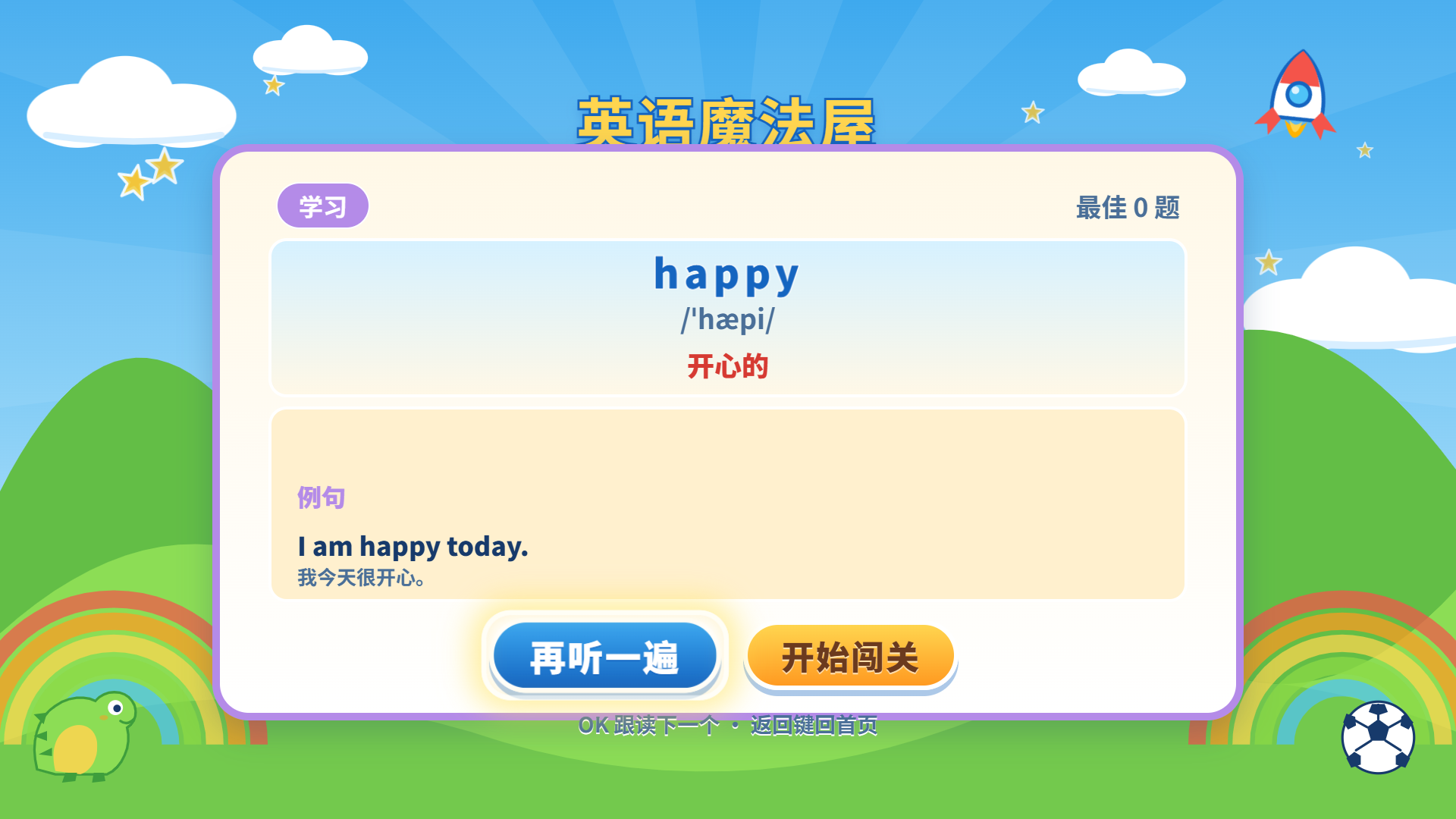
English Magic House borrowed from an open-source English learning project, taking its "flashcard + read-along + practice + buddy growth" loop: 24 high-frequency words across 6 categories, one word per day, with meaning, spelling, and fill-in-the-blank questions after reading along. Correct answers build "magic power" that evolves a Buddy from an egg to a wizard. Pronunciation is synthesized with dual-tone Web Audio — no audio files, no TTS API.
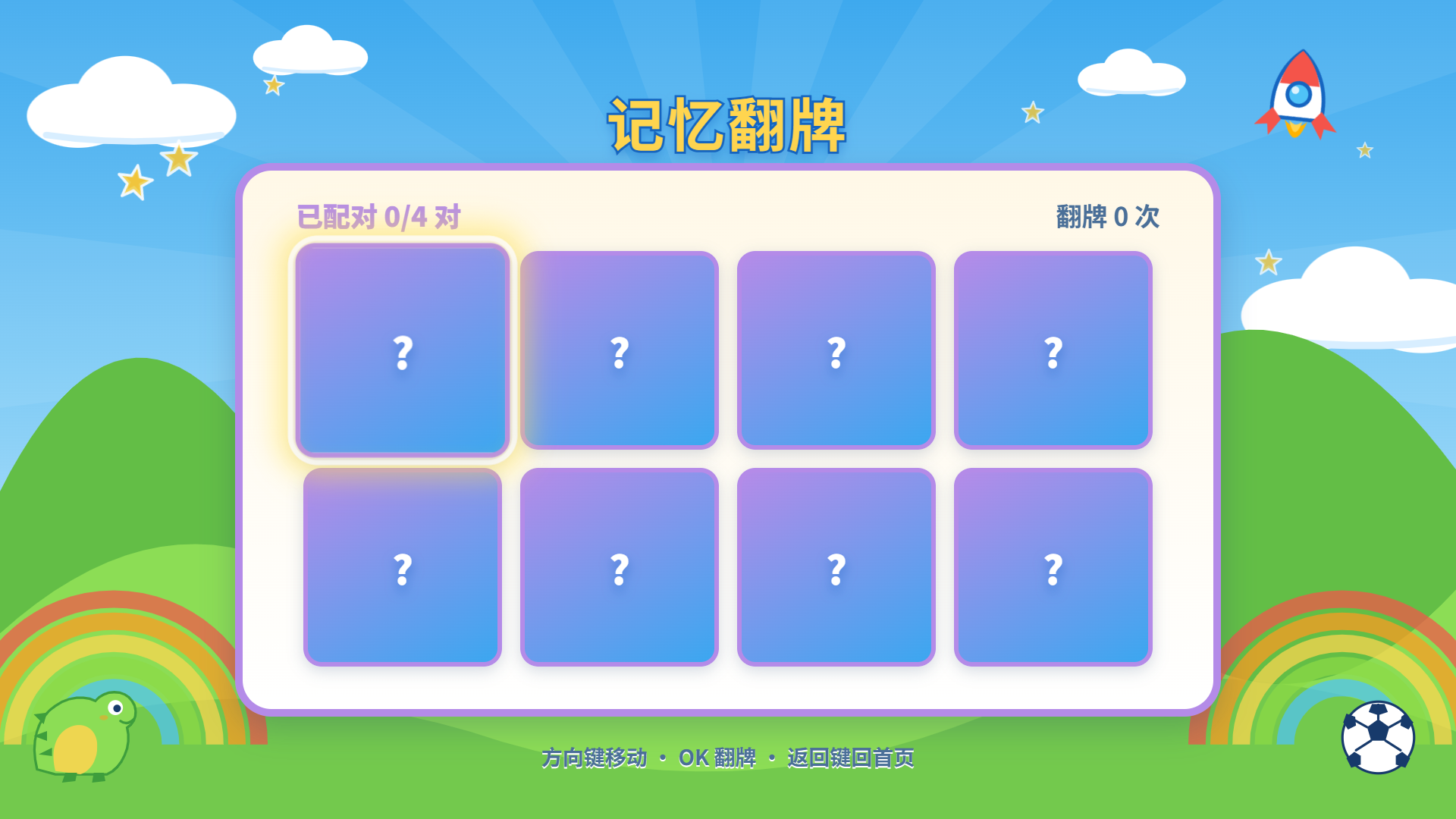
Memory Match pairs shapes with names: each day, 4 pairs are drawn from 12 sets, 8 cards flip with rotateY 3D animation, mismatches auto-flip back, matching all pairs earns a chance, and fewer moves is better. During the match check, only "flip confirm" is locked — not the directional keys. Focus can never be lost.
One detail: card matching, optimal move count, and daily card layout are all pure functions — memory_oracle.py can compute them independently. This continues the same determinism thread from the quiz system.
5. The Rules That Held It Together
Looking back, what kept this high-density iteration from breaking wasn't features — it was a few rules set on day one and never violated:
| Rule | What it bought |
|---|---|
| Determinism first: date seed + pure functions, Python oracle cross-check | Daily content is stable, testable, and reproducible; regression can assert every step |
| Single reward outlet: all rewards dispensed in one reducer, double-locked | 6 modules, dozens of entry points, never a duplicate reward |
| TV focus never lost: directional keys + OK + stack back | Fully keyboard-operable, WebView Bridge works too |
| Zero external links, zero network requests (online poetry off by default, timeout fallback) | Static site works offline, instant startup |
Every expansion ships with dual regression: verify_ui.py + WebView bridge |
Every change can quickly confirm nothing broke |
On the tooling side, npm run verify runs the build and both regression suites in one command. Each new feature expands the regression script — asserting focus, rewards, navigation, and that console errors / 404s / external requests are all zero.
6. Pitfalls
| Symptom | Root cause | Fix |
|---|---|---|
| Knowledge easter egg clipped, covering buttons | CSS translateX(-50%) conflicting with Framer Motion's transform |
Switched to document-flow horizontal layout, no stacked transforms |
| Tall card centered, covering title | Stage start too high, card height near stage height | Lowered stage start + compressed card spacing + width cap |
| Online poetry API 404 | README said /api/v1/, actual prefix is /api/ |
Tested and corrected; response is two lines per couplet, split into four |
| Home entries 7-8 squeezed to edge | Hint bar and capsule on same row | Hint bar on its own row, regression navigation switched to directional polling |
What's interesting is that these "visual overlap" issues kept recurring. The fix wasn't patiently nudging pixels — it was building a screenshot self-review loop: each regression run produces numbered screenshots, review them one by one, quantify geometry, then fix precisely.
Closing
Six days, ten versions — fast pace. But what held it together wasn't feature-stuffing; it was a few plain engineering habits: centralized data, pure-function logic, single reward outlet, regression evidence for every change. On the product side, "draw" — a few seconds of thrill — gradually grew into a "learn → play → reward" loop. On the tech side, determinism and automation kept the cost of each expansion minimal.
Next step: wire up retention hooks, check first-week engagement across the four learning/game modules, then decide whether to add parent-child versus mode, consecutive challenges, and mistake review.
This little toy in the TV isn't done yet.